

Migrate from Exodus
We know migrating to a new wallet can be a stressful process, so we've worked hard to make this migration as seamless as possible for our users. In the following guide, we've broken down the migration process from Exodus wallet → Cake Wallet into an easy-to-follow guide, including screenshots of every step of the process.
Getting started
Now let's get you started migrating over! Migrating from Exodus → Cake only requires three basic steps, all of which are outlined in detail throughout the guide:
Install Cake Wallet
Create a new Monero wallet
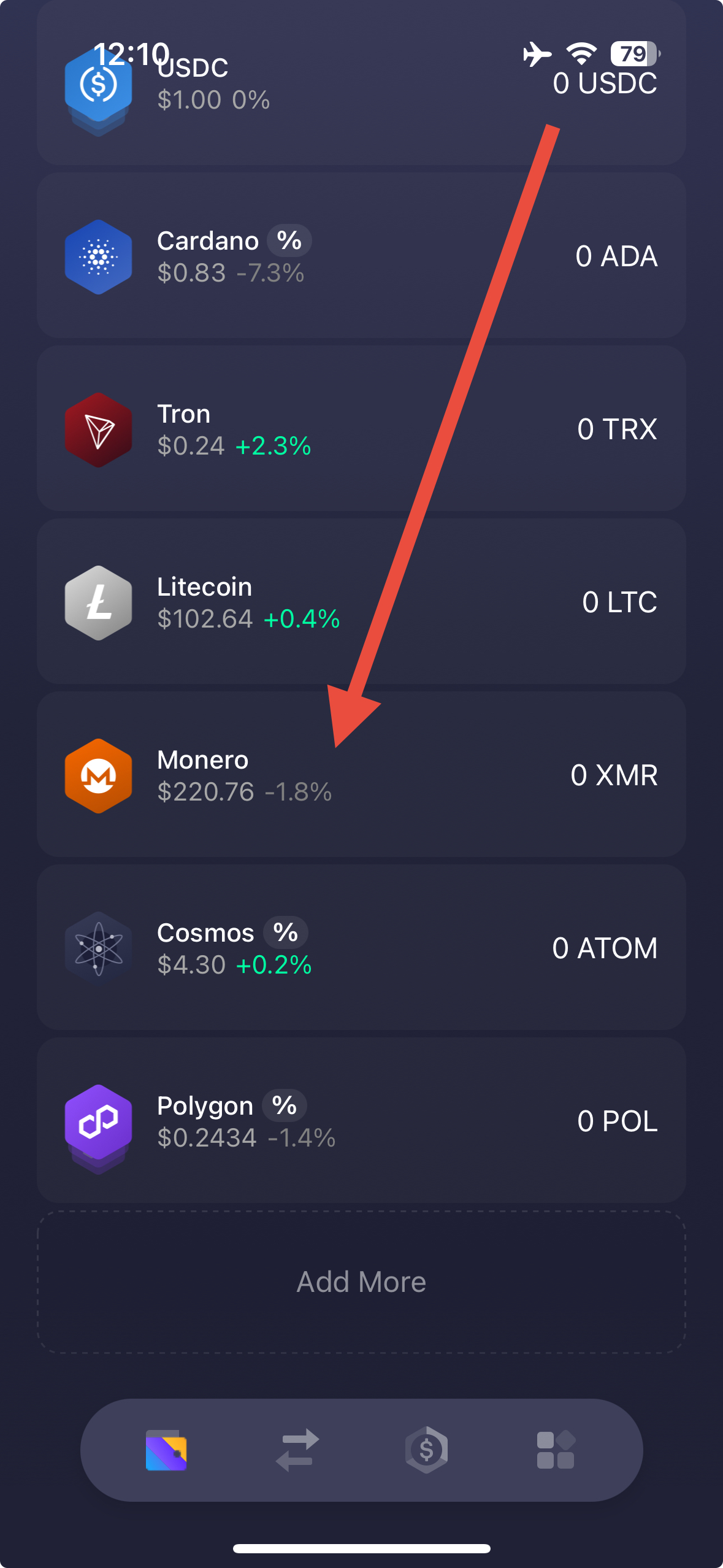
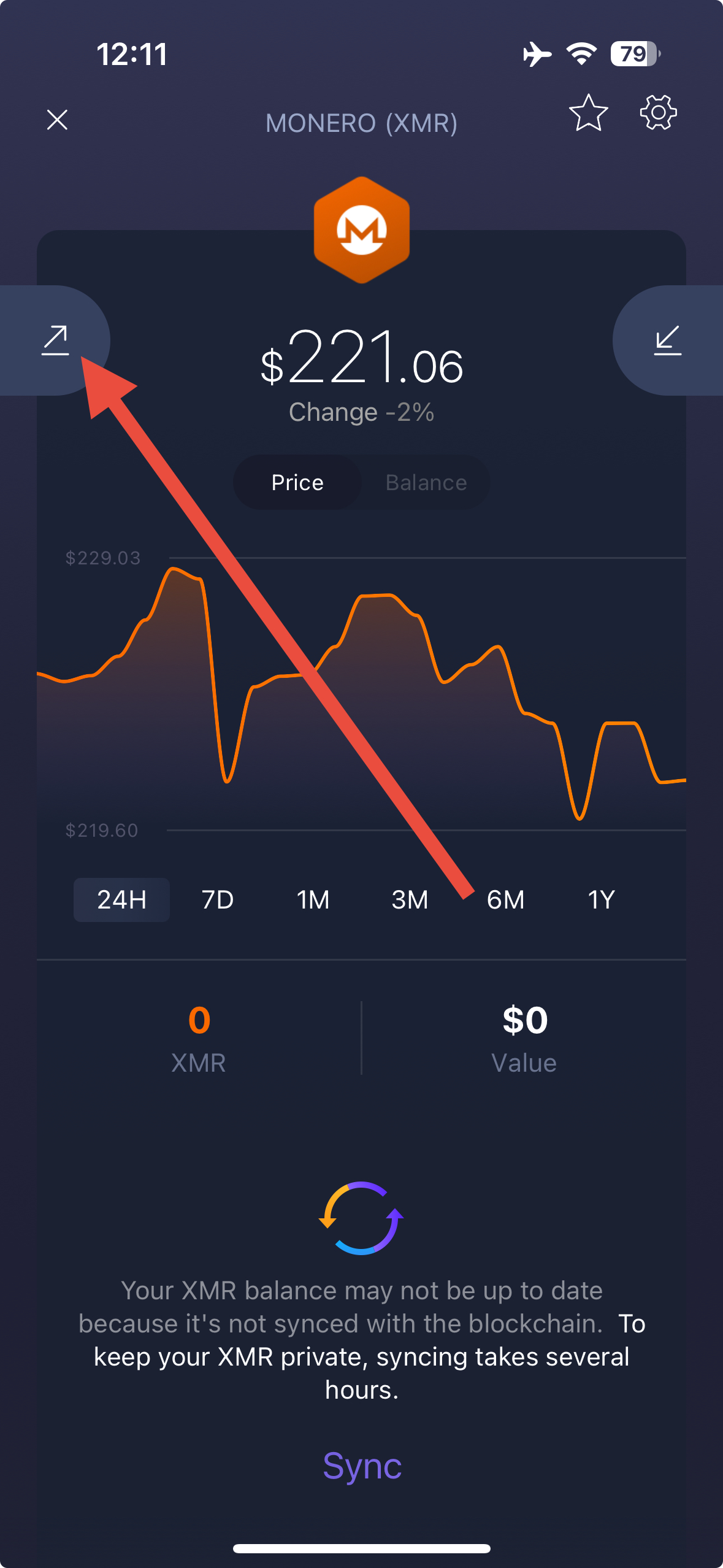
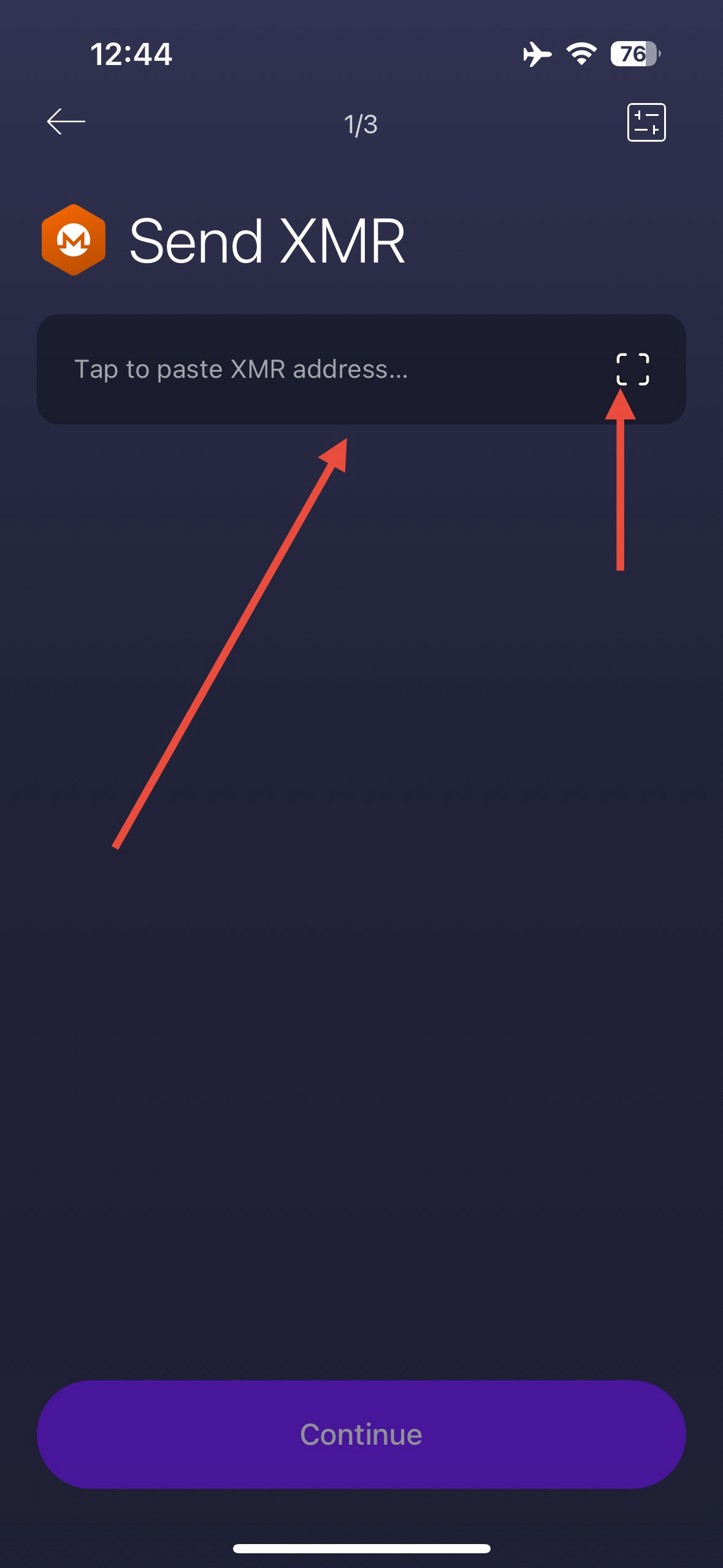
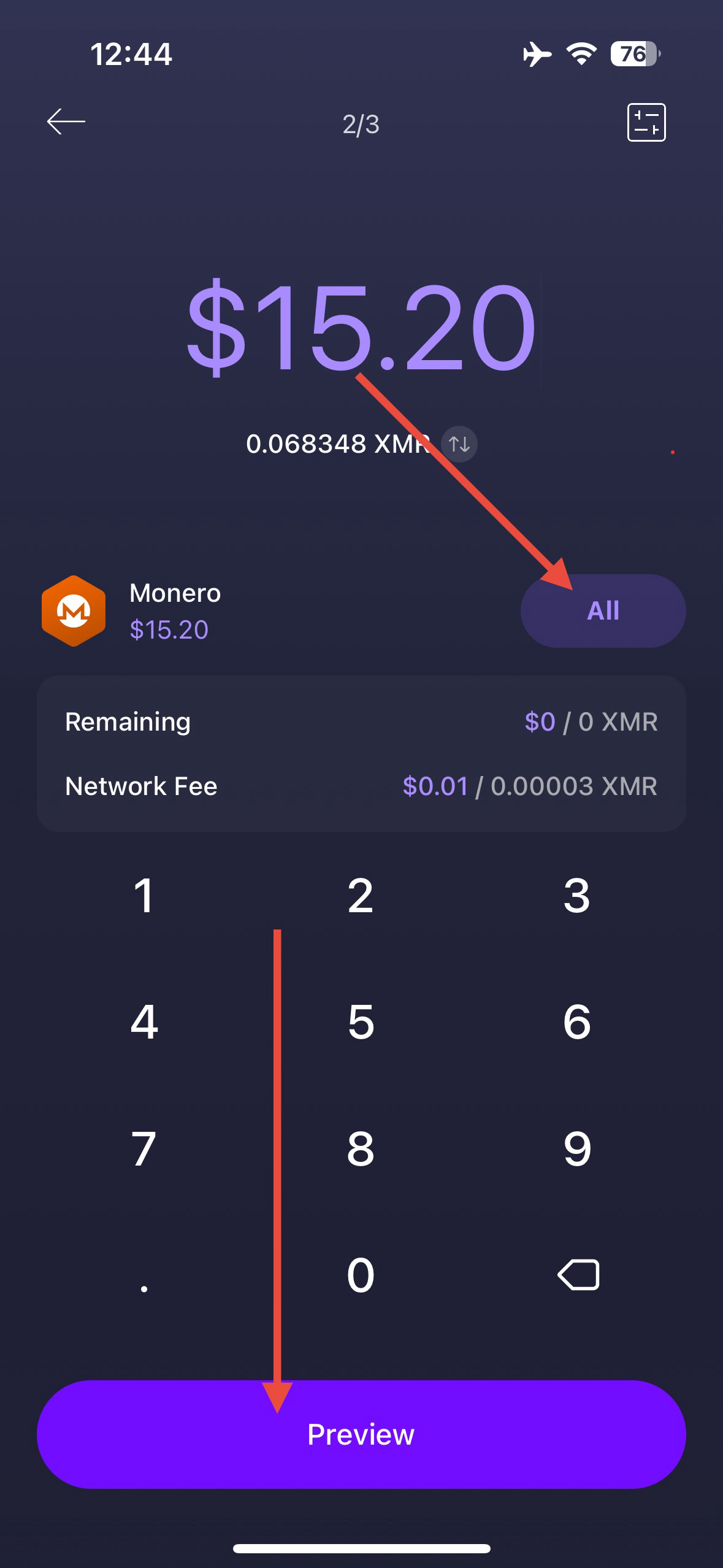
Send all of your Monero in Exodus wallet to the newly created Monero wallet in Cake
Now for those who specifically want to keep their transaction history or have another reason to re-use their existing Exodus 25-word Monero seed, feel free to jump down to the relevant section:
Advanced method: Exporting an existing wallet to Cake
Not so daunting now, is it? Let's get started.
Installing Cake Wallet
Cake Wallet is available on Android, iOS, macOS, and Linux. Windows desktop builds are currently paused while the desktop app is rebuilt.
For the best compatibility and easiest setup we recommend using the mobile version of Cake Wallet to get started, and then explore our desktop apps down the line.
Download Cake Wallet for your platform from the official download page.
Recommended method: Sending to a new wallet in Cake
The easiest path is to simply create a new Monero wallet in Cake Wallet and transfer your funds over with a simple transaction. Not only does this allow you to skip the lengthy synchronization process of restoring an older Monero wallet, but it also lets you get all of the benefits of a new seed format in Monero called "Polyseed."
This newer seed format is easier to backup and restore (only 16 words, instead of 25), encodes the restore height directly into the seed phrase, and has several other security features that ensure your Monero stays safer than ever.
Creating a new Monero wallet on Cake

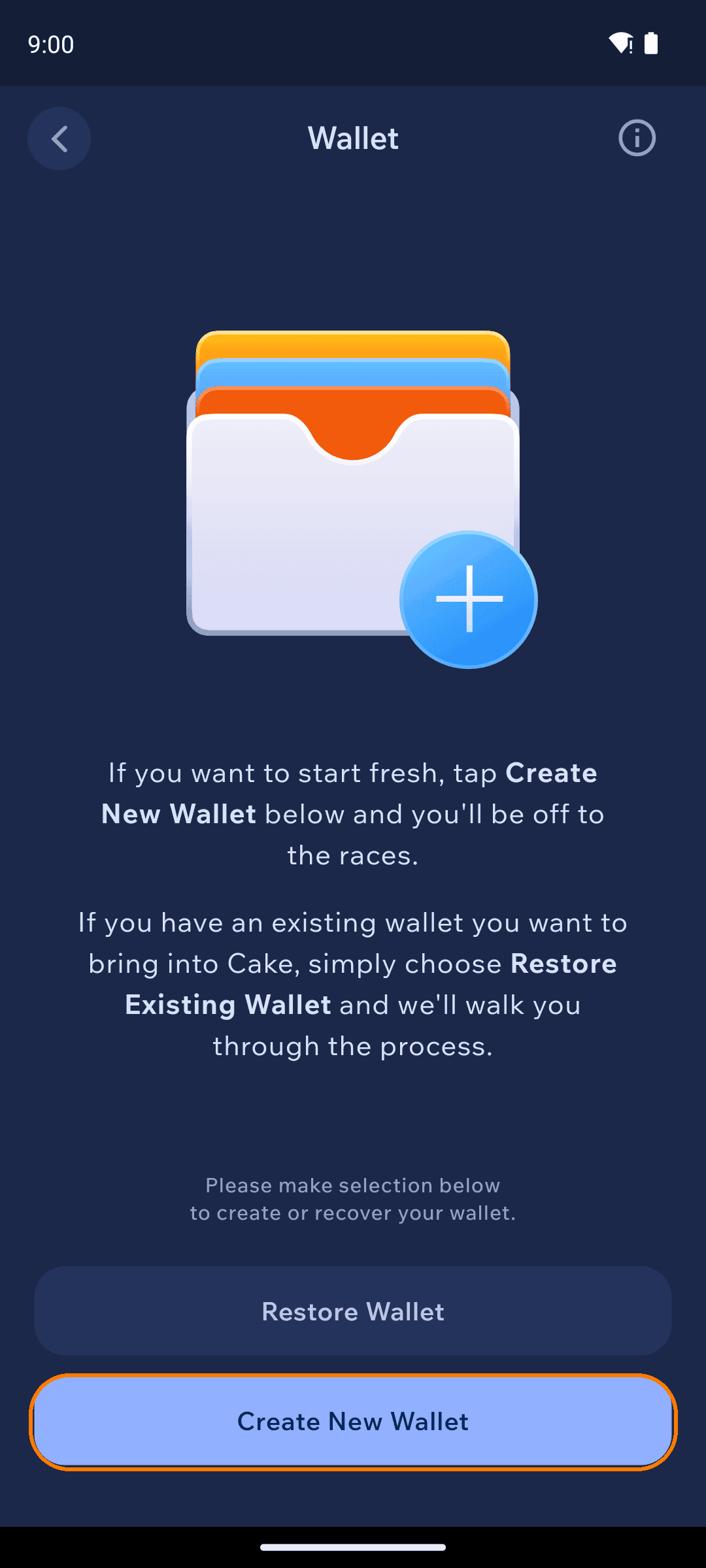
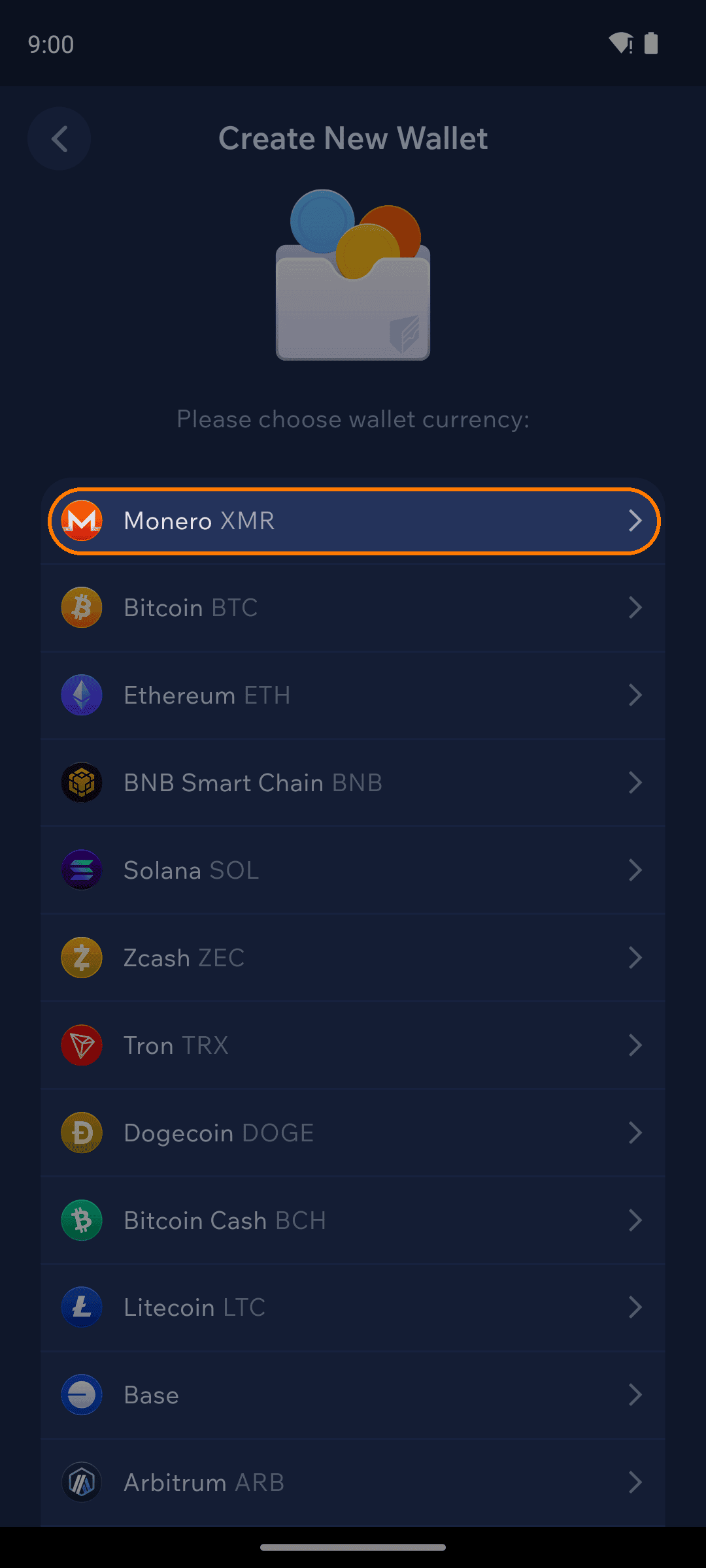
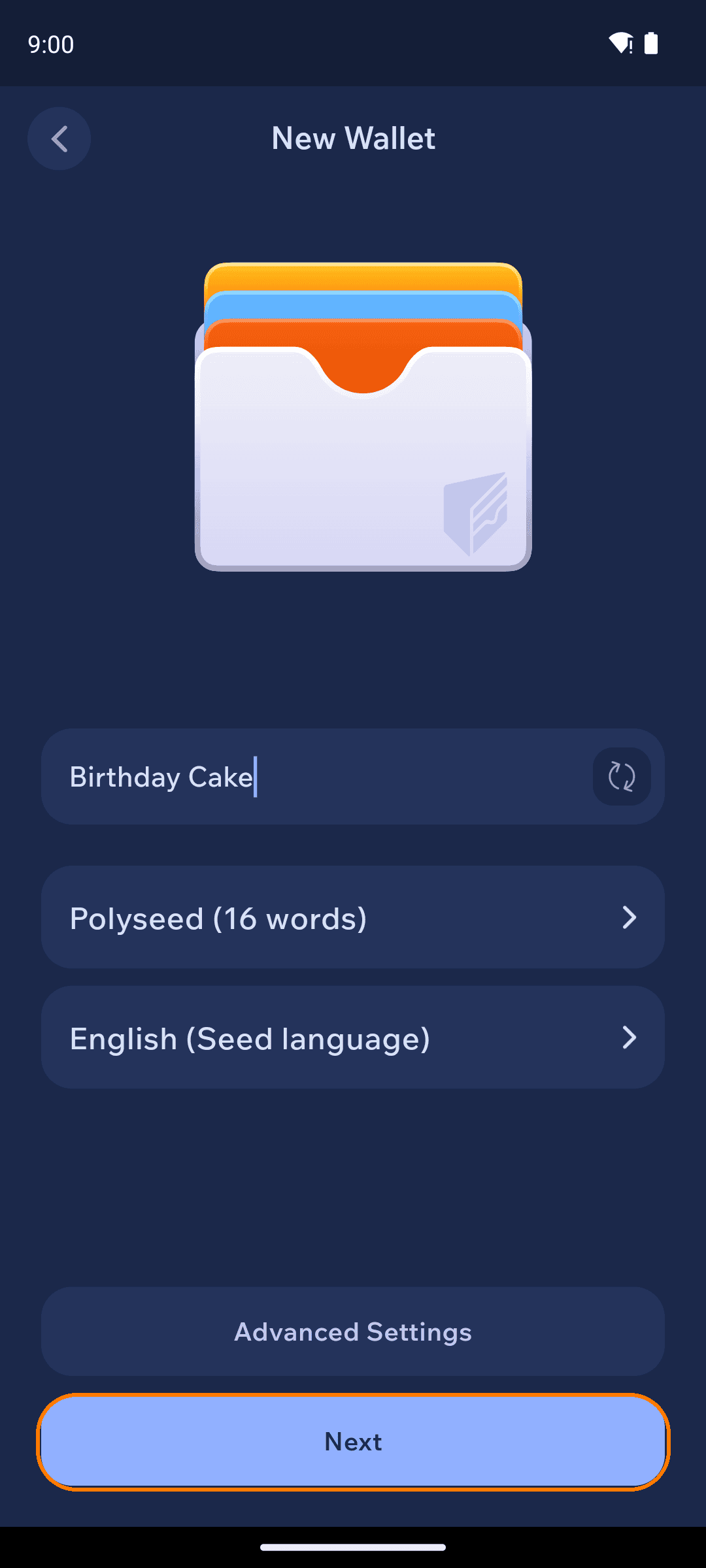
Backup your seed
Follow the on-screen warnings about your seed phrase, then tap
Verify Seed
Do not share these seed words with anyone or store them via screenshots or in an insecure note app, as anyone with access to your seed words has the ability to steal all of your Monero!
Store your seed phrase in a safe place where you can import it into Cake Wallet in the next section. Recommended options:
Storing your seed in an end-to-end encrypted password manager like Bitwarden, Proton Pass, or iCloud Keychain
Writing it down and keeping it in a secure place
Verify your backup by tapping the correct seed words in the order prompted
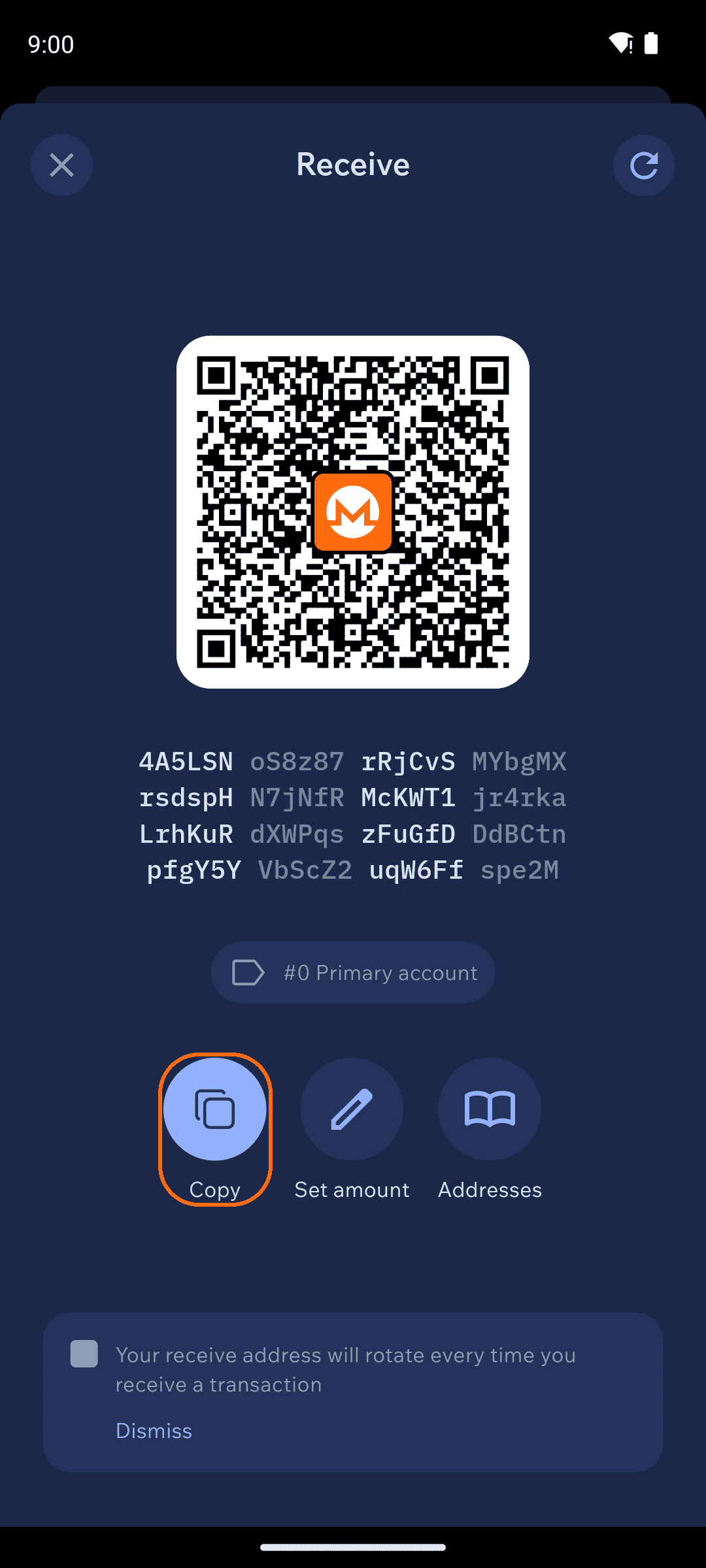
Get your receive address
Tap
Receivein the action row on the home screen (alongsideSendandSwap) to display a QR code with a Monero receive address
Note: If necessary, you can easily copy or share the address by tapping the icon next to the address, then sending to yourself via a messaging app, email, etc.
Send Monero balance from Exodus Mobile
Send Monero balance from Exodus Desktop
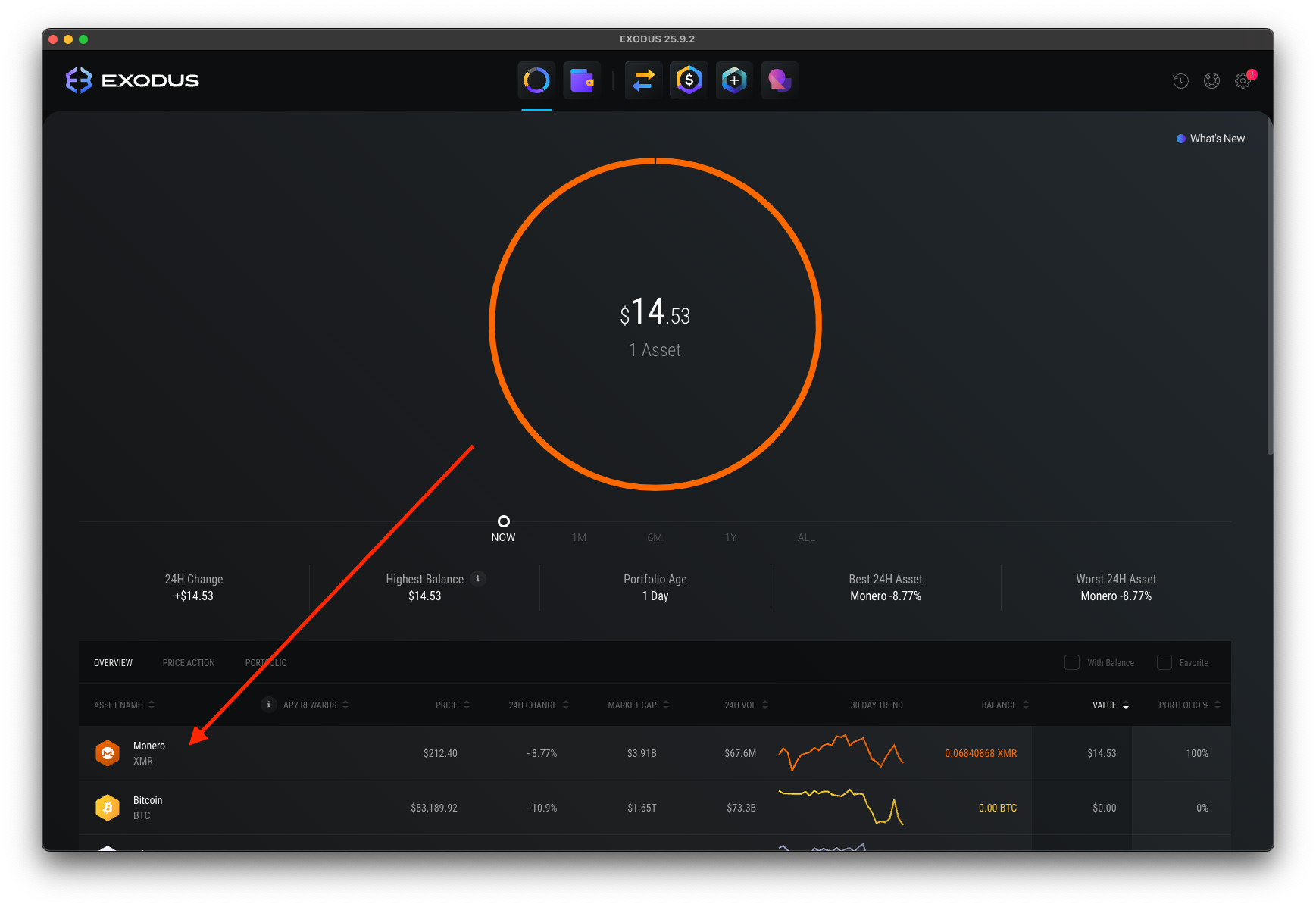
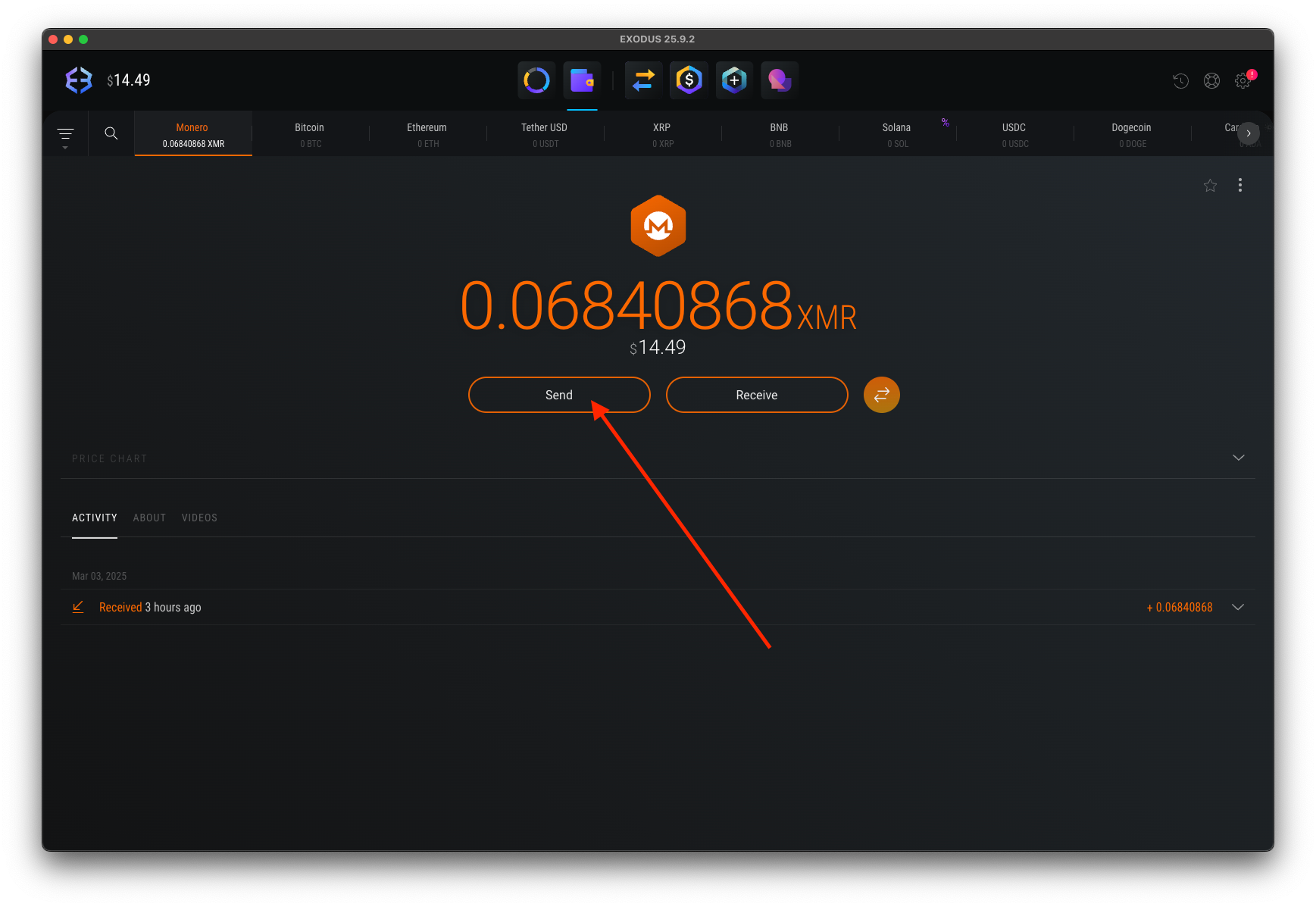
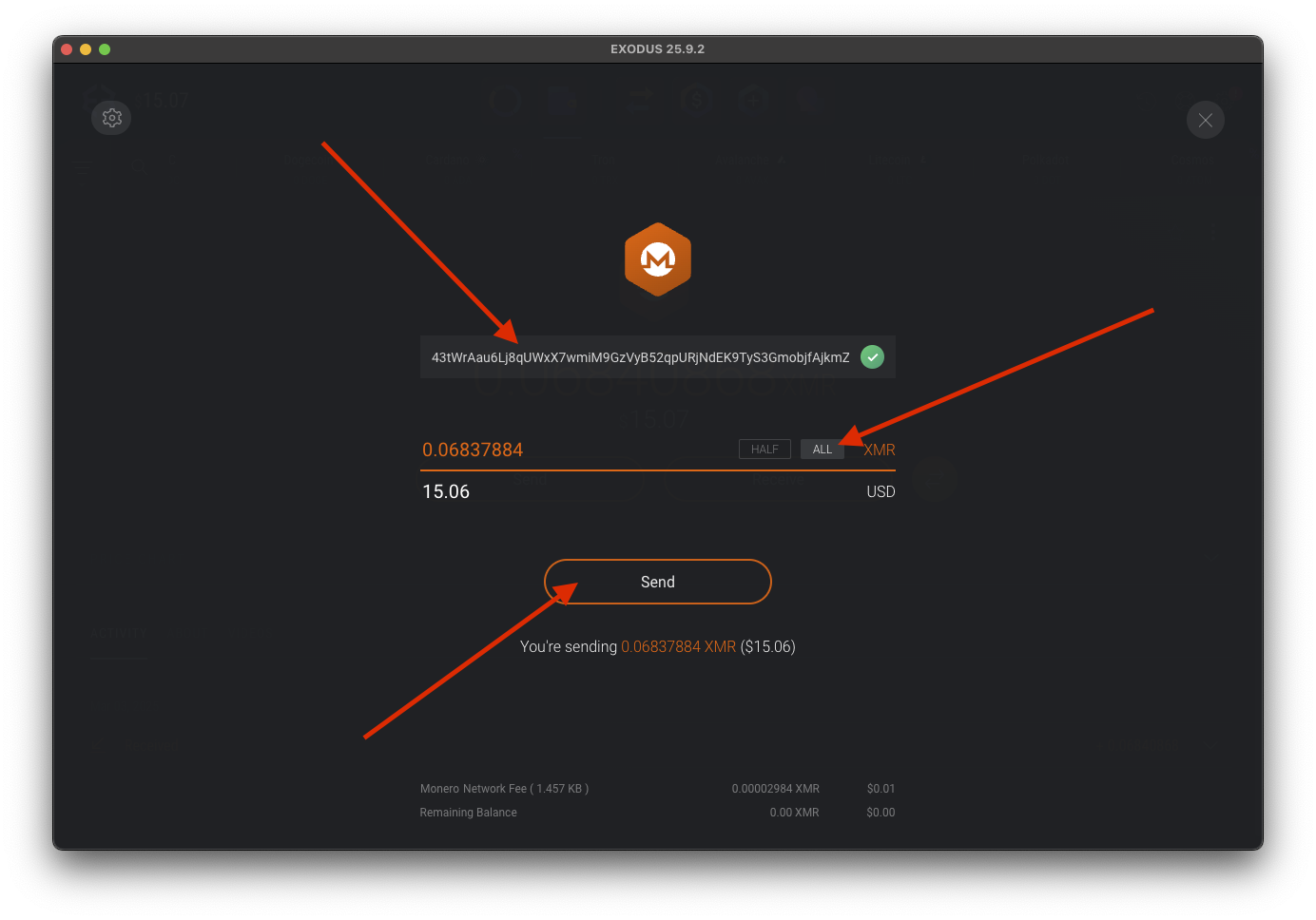
Advanced method: Exporting an existing wallet to Cake
For those who want to preserve their transaction history or have a specific reason to keep using their existing Exodus seed phrase, you can easily export it and restore in Cake Wallet. Note that this 25-word seed phrase differs from the general 12-word seed phrase that Exodus uses for other cryptocurrencies, and must be backed up separately before you can restore your Monero wallet in Cake Wallet.
Backing up your Monero from Exodus Mobile
View private key
Tap
View Private KeyConfirm that you're in a safe place and are OK to display your private keys on-screen
Do not share these seed words with anyone or store them via screenshots or in an insecure note app, as anyone with access to your seed words has the ability to steal all of your Monero!
Either tap the copy button, or write down your 25-word seed phrase (in the box labeled
Mnemonic) in a safe place where you can import it into Cake Wallet in the next section. Recommended options:Storing your seed in an end-to-end encrypted password manager like Bitwarden, Proton Pass, or iCloud Keychain
Writing it down and keeping it in a secure place
Backing up your Monero from Exodus Desktop
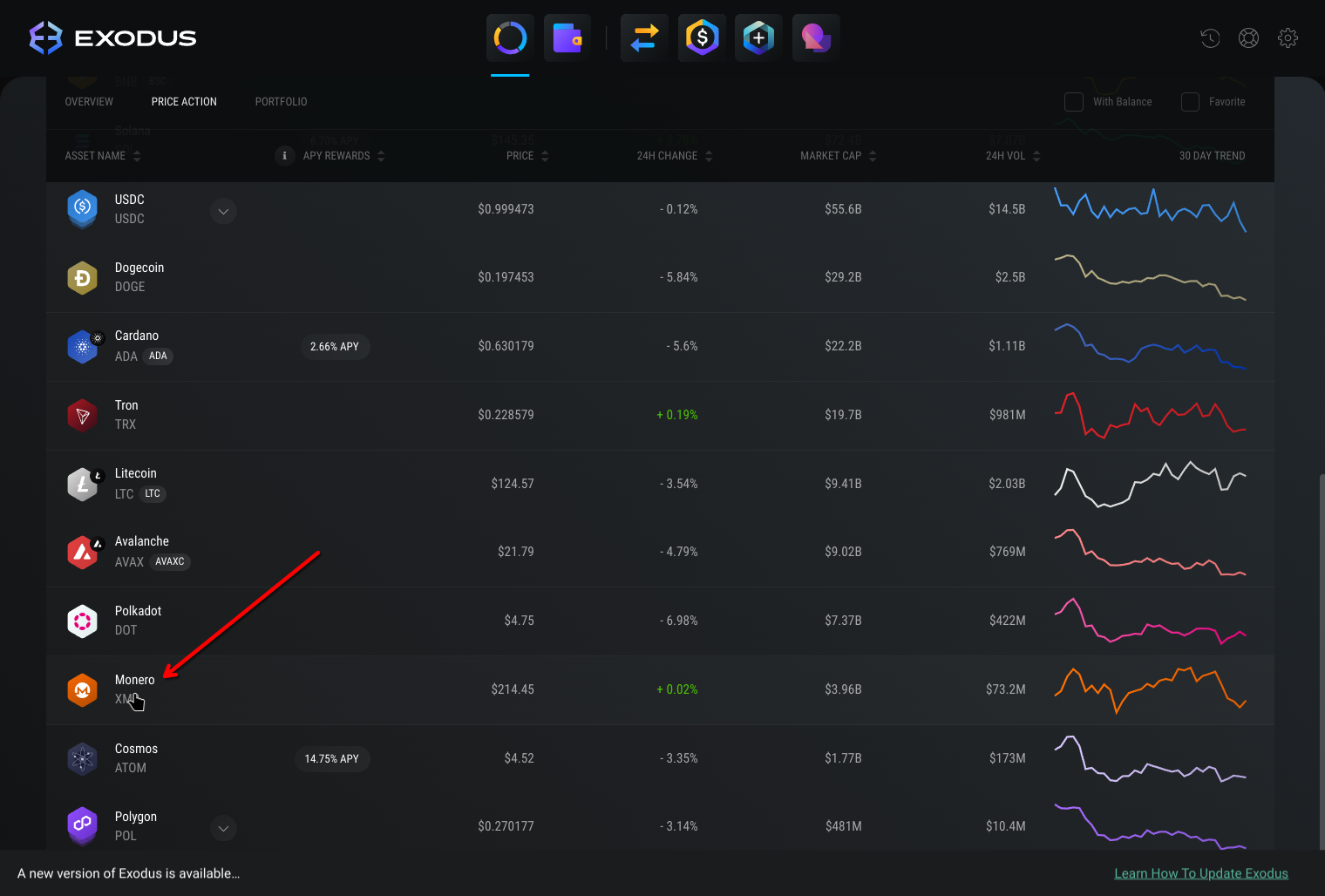
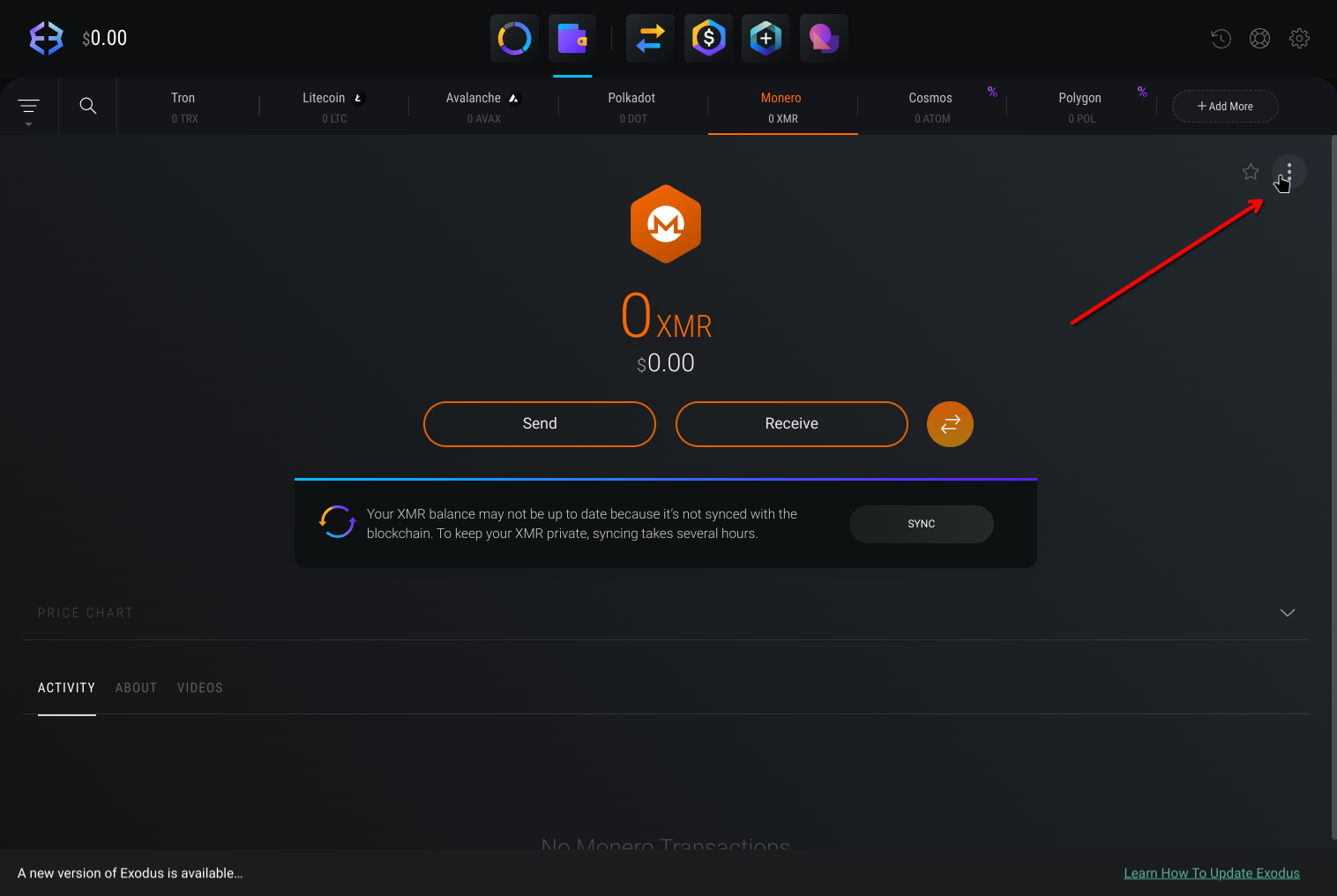
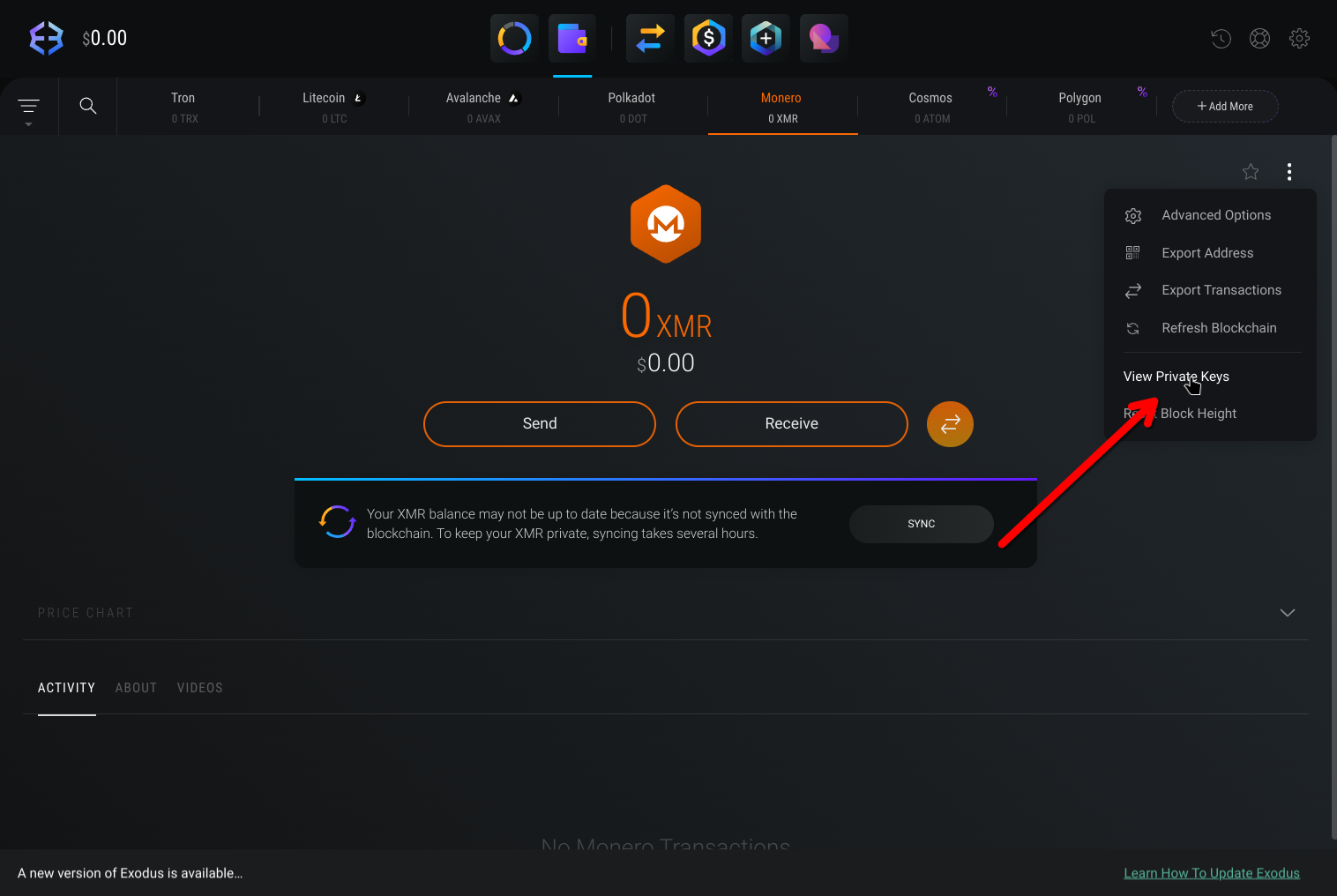
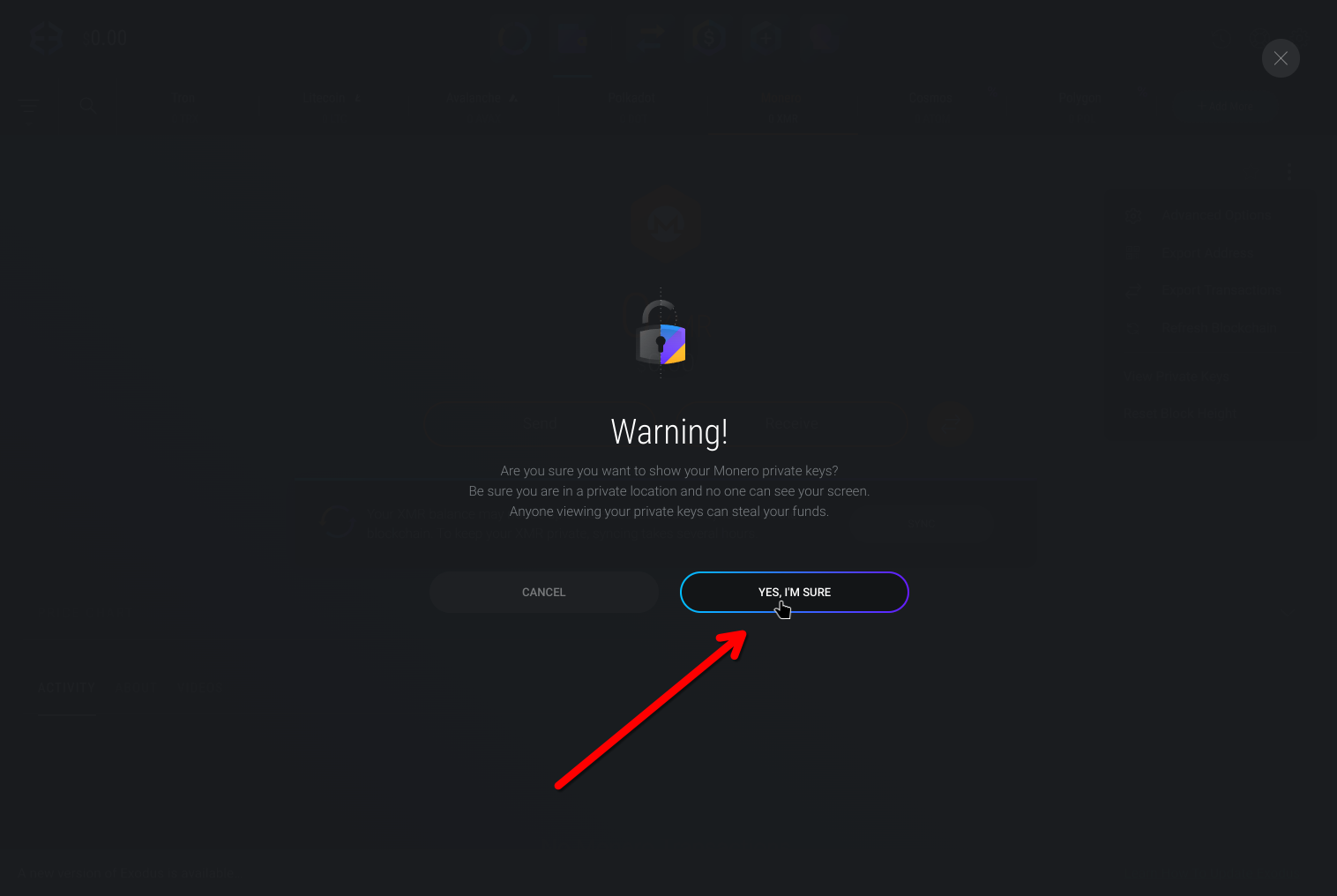
Copy seed phrase
Copy the words from the
Mnemonicfield to your clipboard, this is also known as theseed phrase
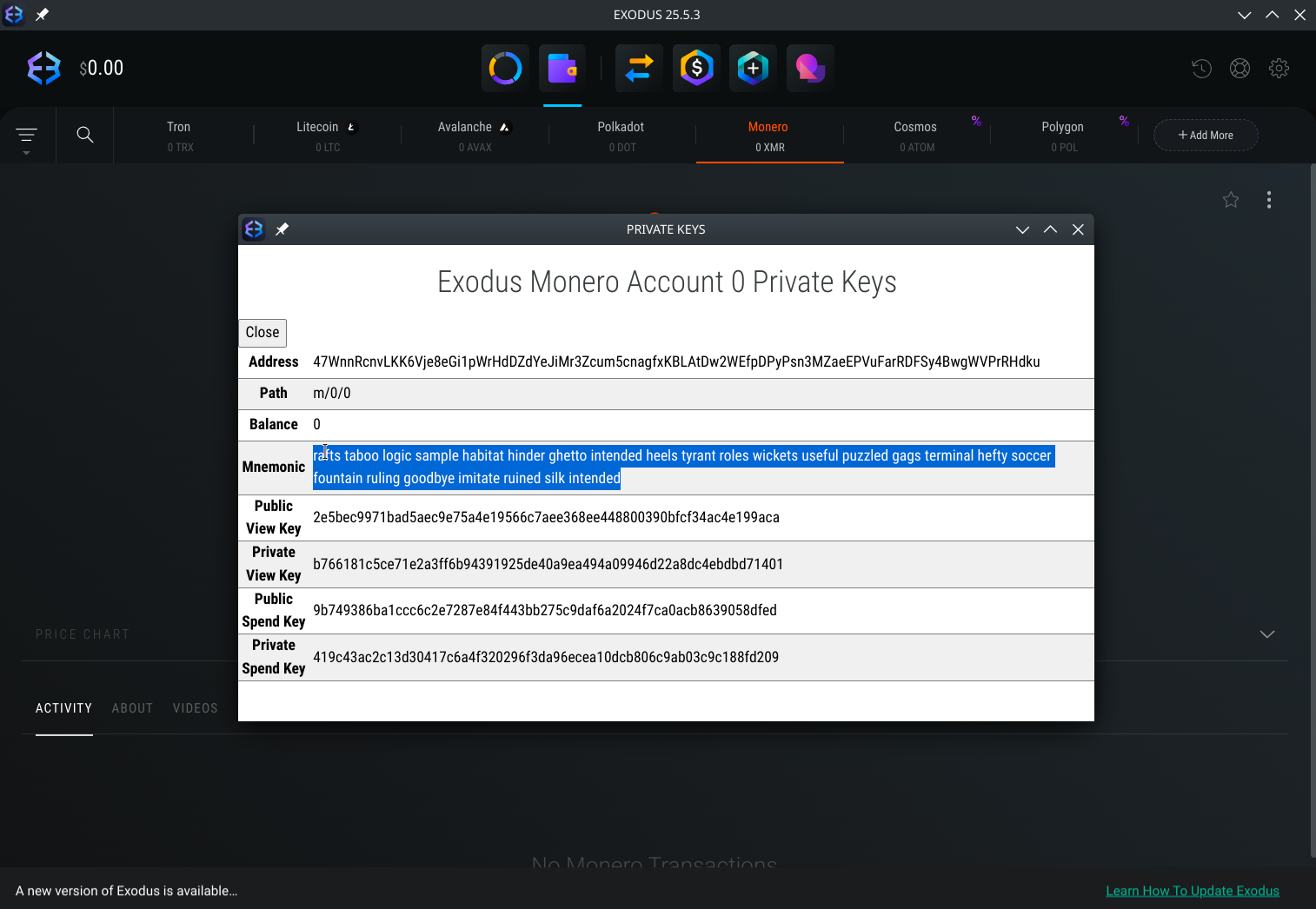
Do not share these seed words with anyone or store them via screenshots or in an insecure note app, as anyone with access to your seed words has the ability to steal all of your Monero!
Store your seed phrase in a safe place where you can import it into Cake Wallet in the next section. Recommended options:
Storing your seed in an end-to-end encrypted password manager like Bitwarden, Proton Pass, or iCloud Keychain
Writing it down and keeping it in a secure place
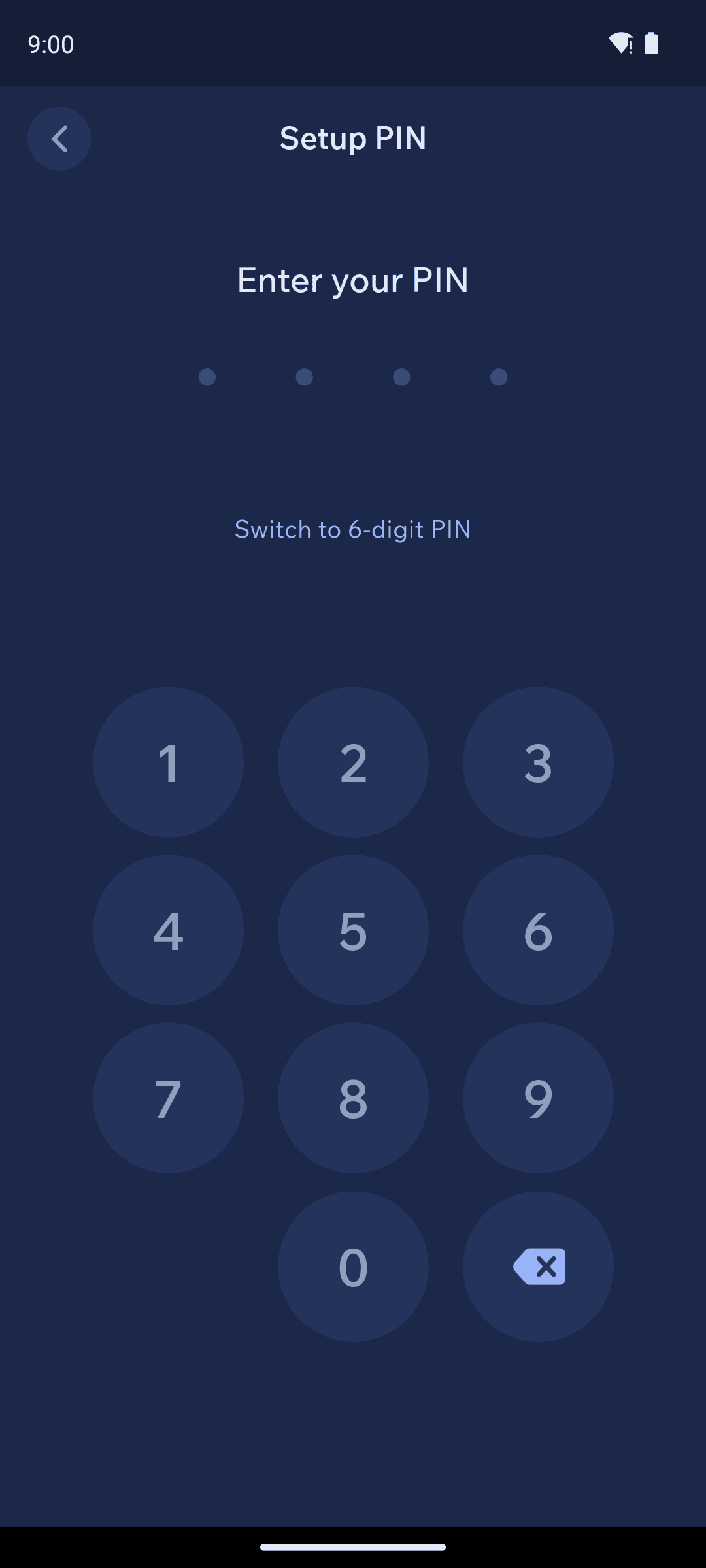
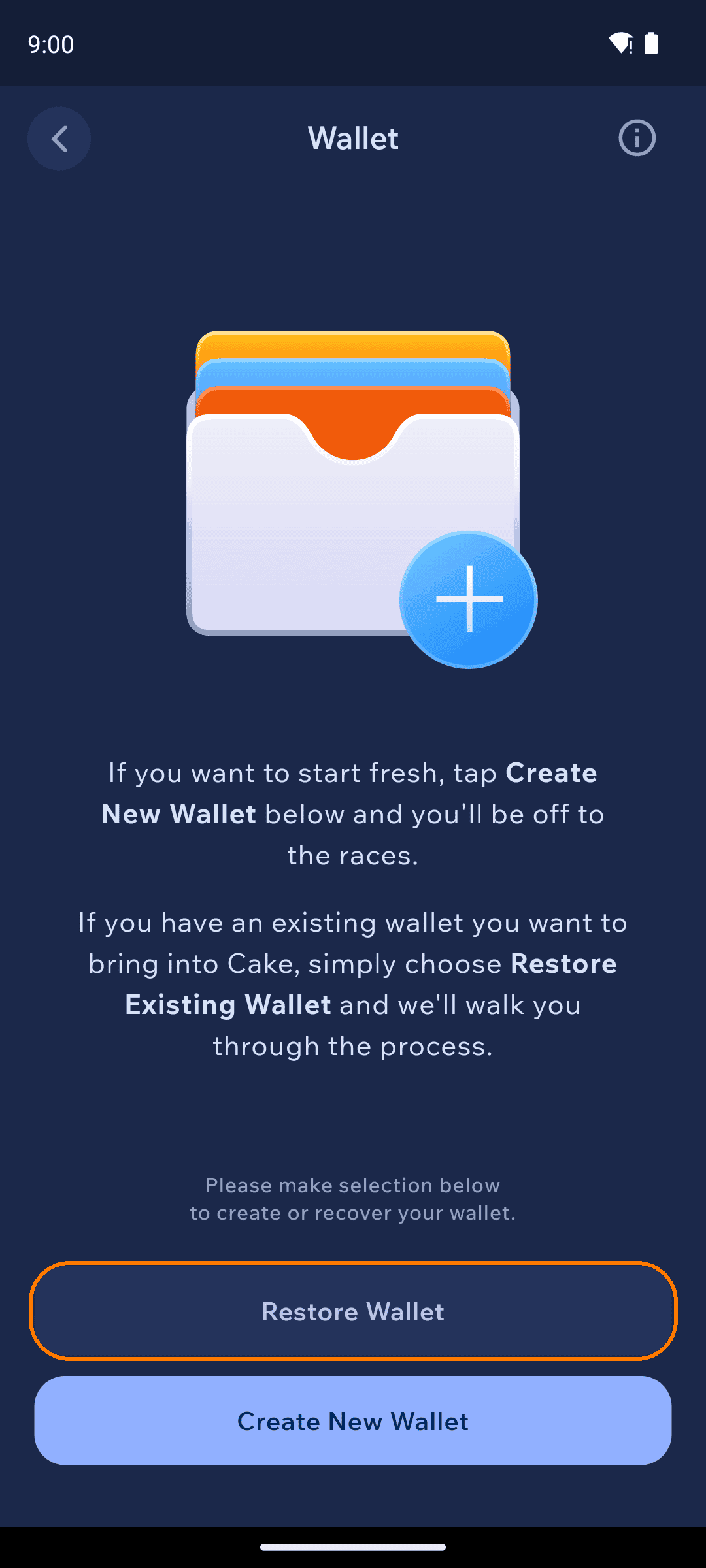
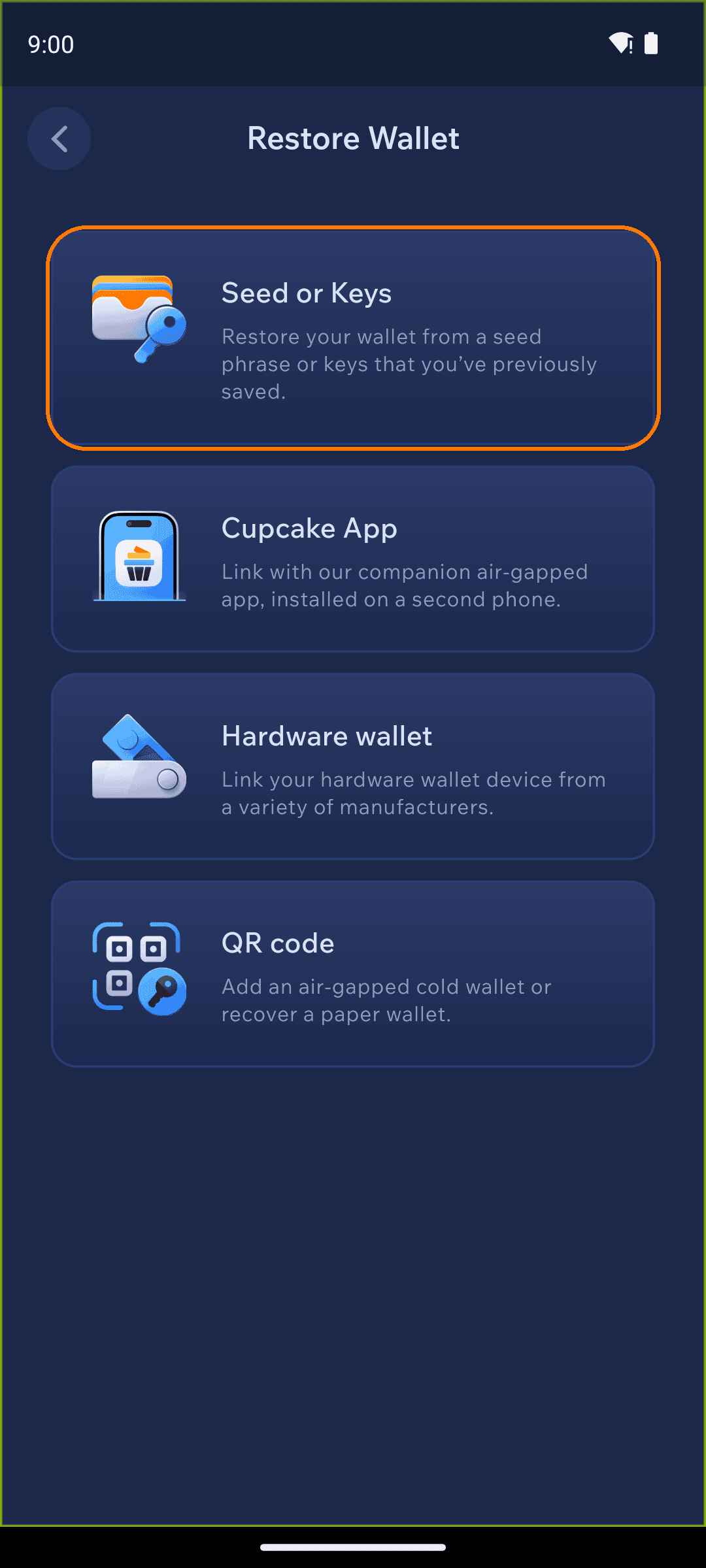
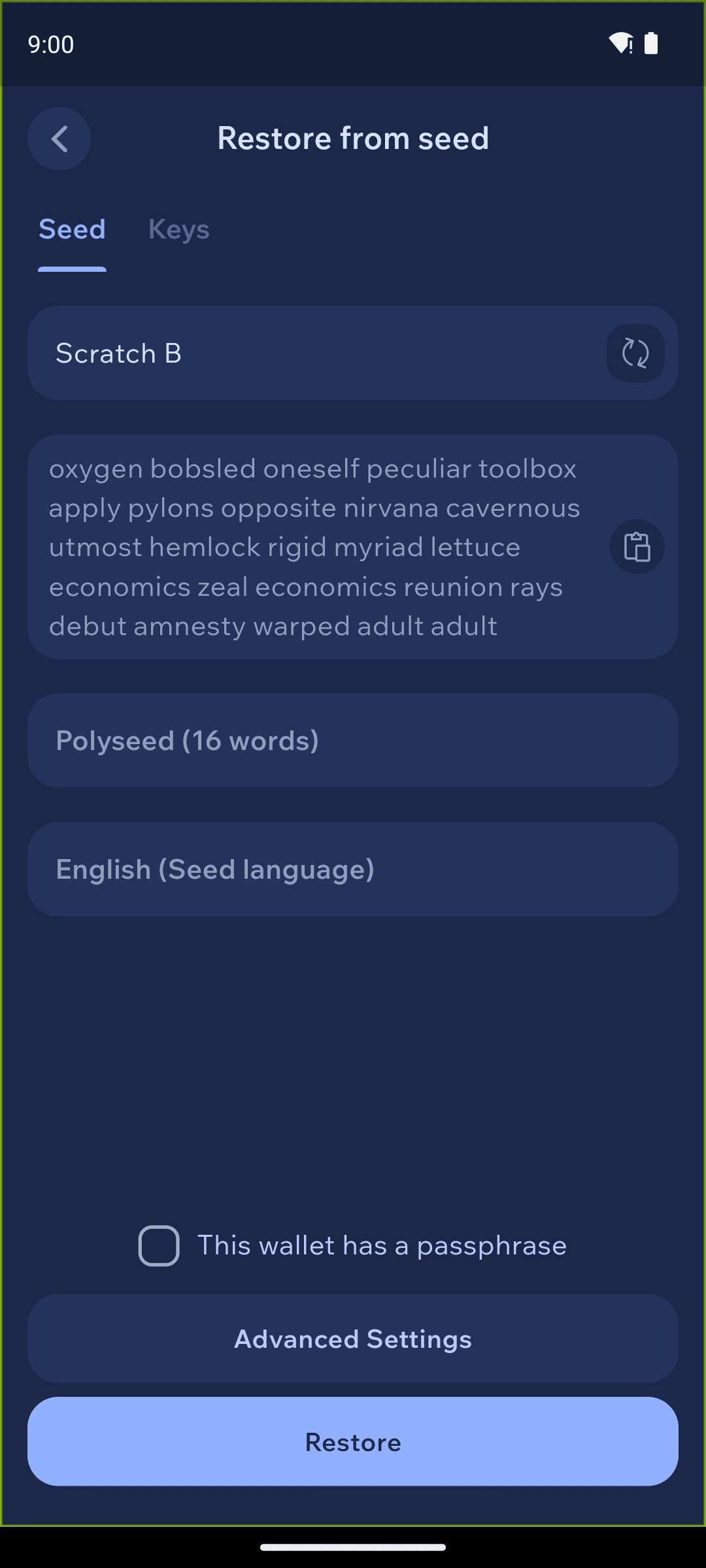
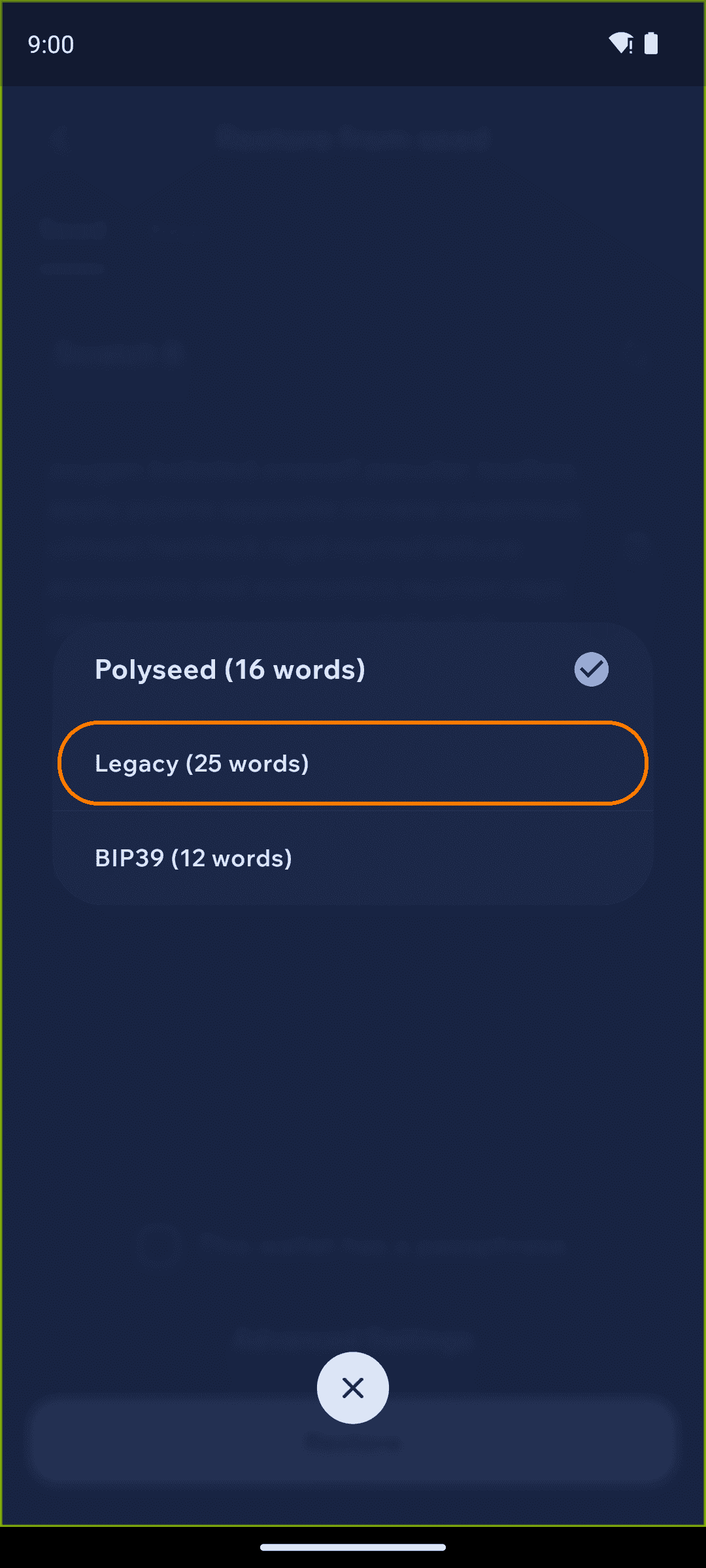
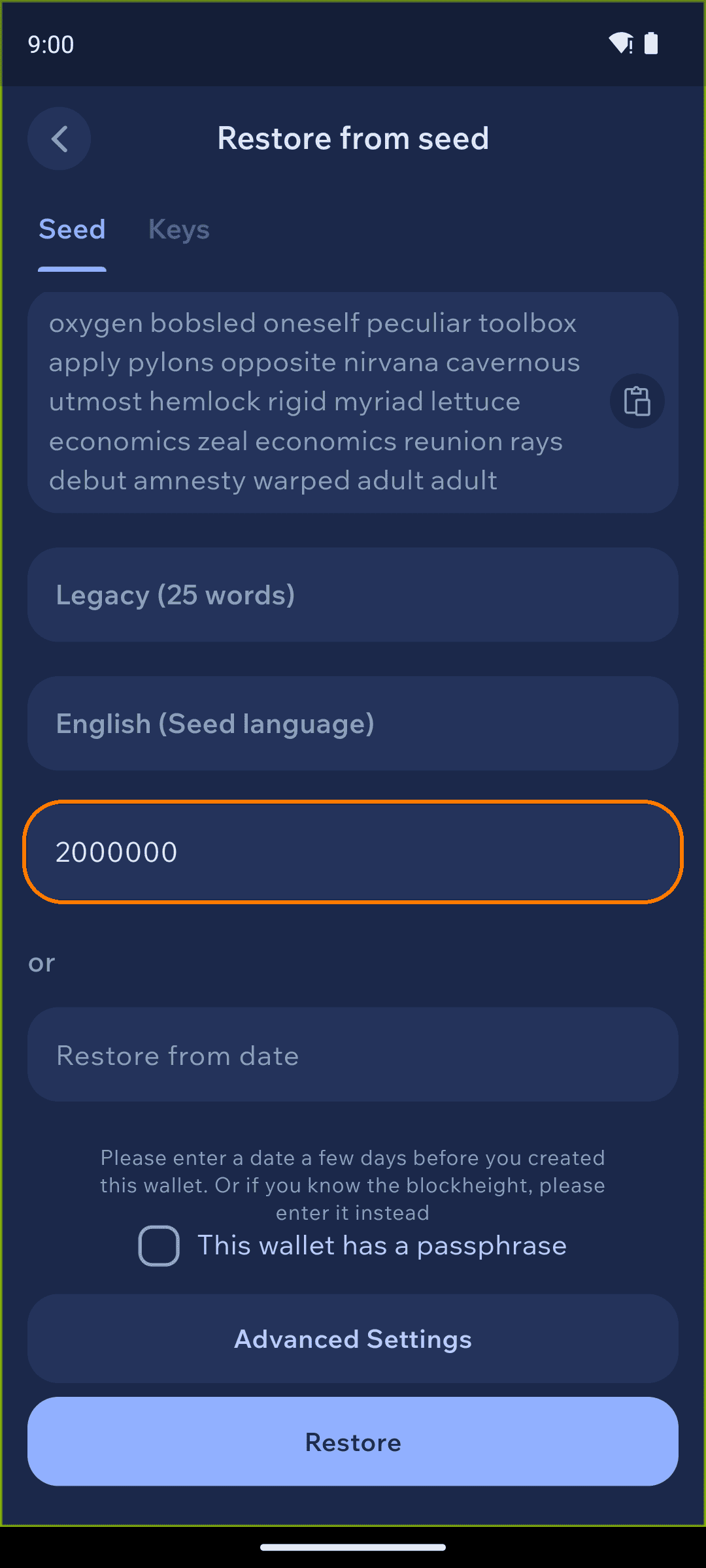
Restoring your wallet in Cake Wallet
Synchronization
Once restored, you will see a synchronization status bar at the top of the balance screen as Cake Wallet checks the Monero blockchain for your wallet history and balance
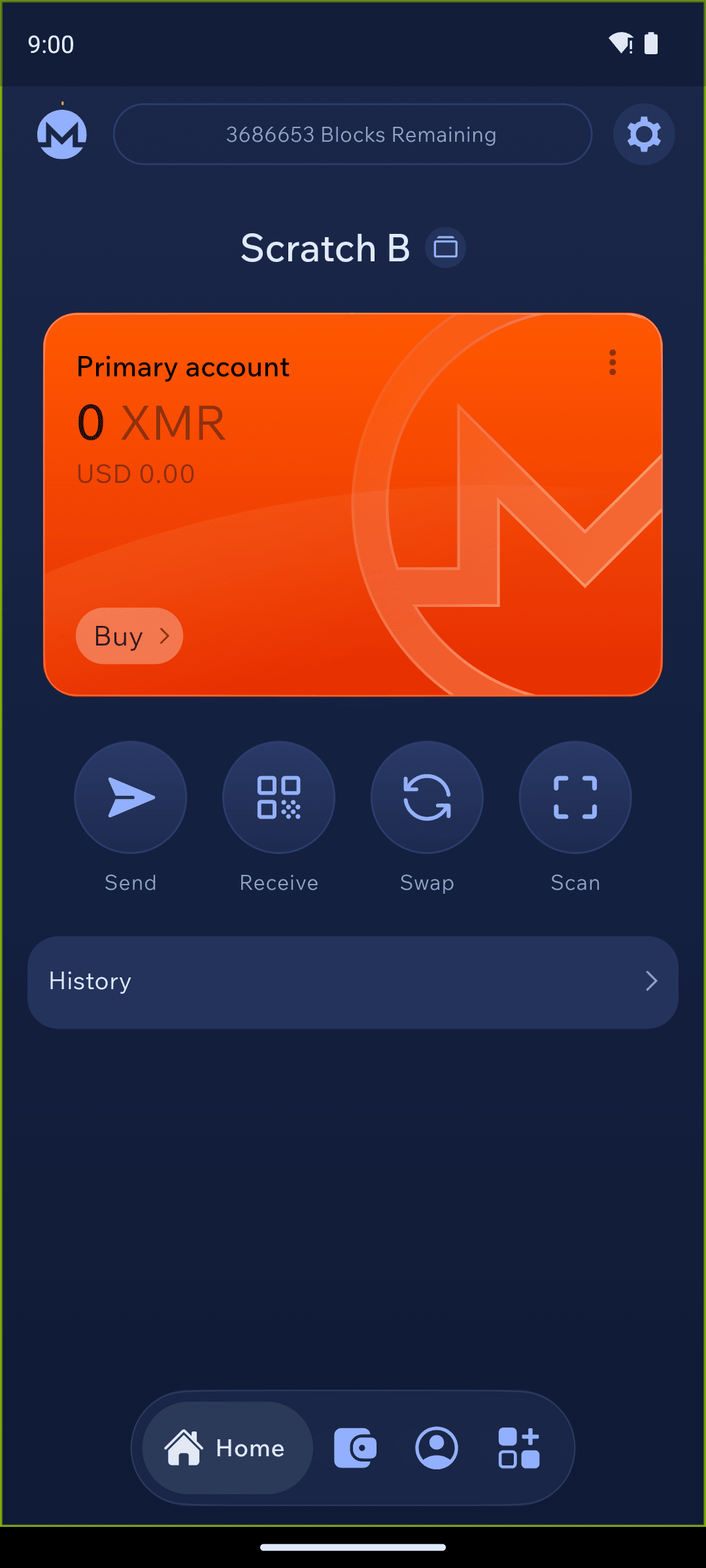
When Cake Wallet finishes the synchronization process and the top bar says
SYNCHRONIZED, you will see your full balance and transaction history
Using Cake Wallet
Cake Wallet is the user-friendly, multi-asset cryptocurrency wallet that prioritizes financial privacy and autonomy. With seamless swaps, strong privacy tools, and a focus on accessibility, Cake Wallet empowers you to manage, swap, and spend your digital assets securely and confidently. Cake Wallet is also 100% open-source, ensuring that every bit of code is able to be verified and independently reviewed, keeping your crypto safer than ever from attacks or mistakes.
Cake Wallet also enables you to easily swap between cryptocurrencies without leaving the app, buy and sell directly from fiat, and even use your crypto to buy every day items and treat yourself with Cake Pay. It's your freedom money, and Cake helps free you up to use it in more ways than ever.
Last updated